
Acerca de

AR on 3DEXPERIENCE
From 3D Data
to Real-World Action
Why AR on 3DEXPERIENCE?
Your 3D data in 3DEXPERIENCE is dormant. Engineers design in CATIA. BOM managers work in ENOVIA. Production planners run DELMIA. But on the shop floor, operators still hold paper drawings. Maintenance technicians still flip through manuals. Trainers still explain by talking.
The gap between digital data and physical reality — that's where errors breed, time drains, costs surge.
AR on 3DEXPERIENCE closes that gap. We develop and customize AR apps and widgets natively on 3DX — turning every 3D dataset into visual guidance, overlaid onto the real world.
Functionalities
AR on 3DEXPERIENCE delivers the following capabilities:
-
AR Widgets integrated into 3DX dashboard: View 3D overlays on real equipment, straight from your 3DEXPERIENCE interface — no leaving the platform
-
Custom AR apps for multi-device: Tablet, smartphone, HoloLens, smart glasses — connected real-time to your 3DX data, BOMs, and production workflows
-
Digital Twin AR: Place CATIA 3D models onto physical machines, compare design vs. reality, detect deviations instantly
-
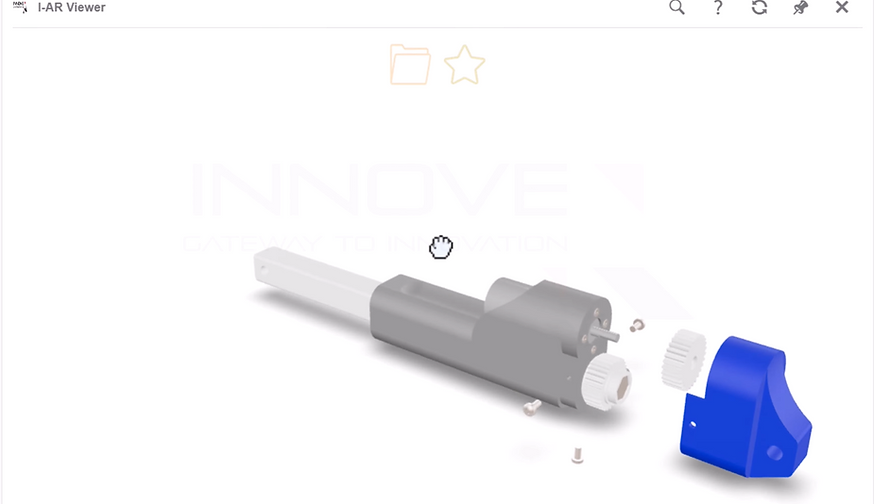
AR-guided assembly & maintenance: Step-by-step holographic instructions — reducing training time, increasing assembly and repair accuracy
-
AI-assisted AR: Ask by voice within the AR space, get BOM info, approval status, technical guidance right in your field of view
Advantages
AR on 3DEXPERIENCE delivers transformative benefits:
-
Native development & customization: AR apps and widgets built directly on 3DEXPERIENCE, deeply integrated with ENOVIA, CATIA, DELMIA — not a bolt-on solution
-
Real-time data, zero import/export: Every change in 3DX updates instantly in AR — one data source, no version errors
-
Flexible deployment: 3DEXPERIENCE Cloud or on-premise — AR works wherever you need it
-
50% reduction in training time: Trainees see holograms and follow along, no thick manuals required
-
Increased assembly accuracy: AR arrows point to exact position, orientation, timing — assembly errors drop significantly
-
Future-ready architecture: From AR to full Digital Twin, integrating IoT sensors, AI predictive maintenance
SolidWorks Connector
The SolidWorks Connector is your conduit to Product Lifecycle Management (PLM) from your SolidWorks desktop. The SolidWorks Connector is fine-tuned to manage CAD Documents for each SolidWorks drawing, assembly or part represented in the CAD hierarchy. In addition, the SolidWorks Connector enables you to manage Parts for each of your SolidWorks assemblies and part configurations as they relate to your CAD Documents, and also provides the ability to manage your Bill of Materials (BOM) as the complete as-designed CAD hierarchy

Functionalities
The SolidWorks connector provide the following functionalities:
-
Manage CAD files by conserving all their rich engineering data on a centralized server (product structure, material, dimensions, tolerances...).
-
Allow connection by users and roles.
-
Modification history for audit trail/track & trace.
-
Provide automatic workflow to manage collaborative engineering tasks.
-
Automatically transform and feed data to downstream platforms for re-use.
Advantages
The SolidWorks connector will provide the following advantages:
-
Add new PDM/PLM advantages to the traditional 3D CAD of SolidWorks.
-
Automatically connect CAD data to downstream applications such as ERP, MES. Data is input just once and re-use after that.
-
Avoid most of human errors due to manual data input and email communication.
-
Modern architecture allowing to extend to future improvements and technologies such as data lake, AI...
Custom Serial Number in SOLIDWORKS PDM Professional
In essence, a part number is simply a unique identifier for an item approved for a specific application. It’s formatting should be consistent, and remain unambiguous throughout that items lifecycle. This is essential for correct product assembly, testing and maintenance. A good part number therefore simply allows us to clearly distinguishing one part from other.
Although we would advocate the use of a Simple or Semi-Significant number within PDM; with metadata being used to describe the component in a much more ‘user friendly’ and sustainable way. We appreciate that Customers will in some cases not be able to shake off a legacy numbering scheme or will require a small degree of intelligence that is not possible ‘Out of the box’ in SOLIDWORKS PDM. For this reason we have developed the PdmNumber add-in for SOLIDWORKS PDM Professional.

Functionalities
The SolidWorks PDM connector provide the following functionalities:
-
Link engineering data in CAD files (product structure, material, dimensions, tolerances...) to downstream applications.
-
Provide automatic numbering (PDM number) more fit to the needs of engineering users.
-
Automatically transform and feed data to downstream platforms for re-use.
Advantages
The SolidWorks PDM connector will provide the following advantages:
-
Add new PLM advantages to the traditional PDM of SolidWorks.
-
Automatically connect CAD data to downstream applications such as ERP, MES. Data is input just once and re-use after that.
-
Avoid most of human errors due to manual data input and email communication.
-
Modern architecture allowing to extend to future improvements and technologies such as data lake, AI...
Let’s Work Together
Get in touch so we can start working together.